Trading, Analysis and Automation in MetaTrader 5
MetaTrader 5 combines multi-asset market access, order management, technical and fundamental analysis, and algorithmic trading tools in one environment. The platform provides the software functions; the connected broker, trading server and account define available instruments, prices and trading conditions.
Multi-asset market access
Forex / Stocks / Futures / Exchange Markets
MetaTrader 5 can connect to broker and exchange environments that provide forex, stocks, futures, bonds, options and other instruments.
The connected server supplies symbols, prices, contract specifications and account permissions.
Spreads, commissions, leverage, trading sessions and execution conditions depend on the broker, account and instrument.
Charts and technical analysis
21 Timeframes / 38 Indicators / 44 Objects
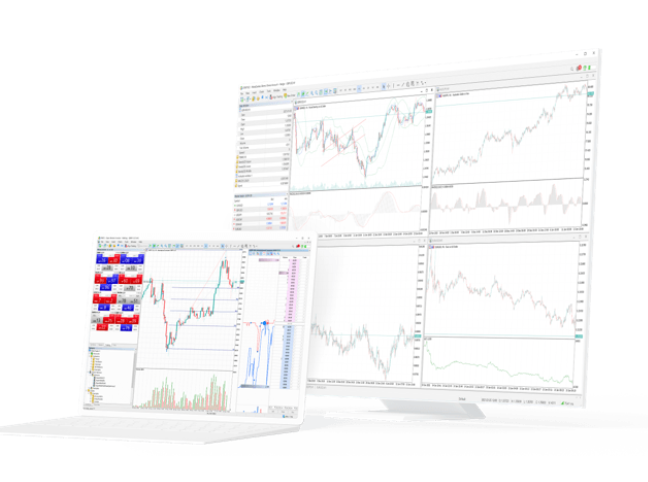
The desktop terminal provides 21 chart timeframes, 38 built-in technical indicators and 44 analytical objects.
Charts can be combined with trend lines, channels, Fibonacci and Gann tools, while custom MQL5 indicators can extend the analysis environment.
Price data shown in the terminal comes from the connected trading server.
Orders, Market Depth and position accounting
6 Pending Orders / Netting / Hedging
The trading system supports market orders, six pending order types, Stop Loss, Take Profit and Trailing Stop.
Market Depth displays available bid and ask levels where depth data is supplied by the connected server.
MetaTrader 5 supports both netting and hedging account models, subject to broker and account configuration.
Fundamental analysis and Economic Calendar
Financial News / Economic Calendar
MetaTrader 5 combines price analysis with financial news and a built-in Economic Calendar.
Calendar data can include event time, importance, previous values, forecasts and reported figures, helping users place market moves in a broader economic context.
These data points provide information rather than guaranteed trading signals.
MQL5, Expert Advisors and Strategy Tester
MQL5 / MetaEditor / Expert Advisors / Strategy Tester
MQL5 is the programming language for Expert Advisors, custom indicators, scripts and other MetaTrader 5 applications.
MetaEditor provides the development environment, while Strategy Tester supports backtesting, optimization, forward testing, multi-currency testing and multi-threaded processing.
Historical test results do not guarantee future live-account performance.
Desktop, WebTerminal and mobile
Desktop / Web / iOS / Android
The desktop terminal provides the full MQL5 development, Expert Advisor and Strategy Tester environment.
WebTerminal provides browser-based account access, while iPhone, iPad and Android apps focus on quotes, charts, orders, positions and account monitoring.
Feature availability differs by terminal and connected account.